Scroll through any runner's social feed and you will see them: sunrise photos, race-day selfies and muddy trail shots, each with distance, pace and time written over the picture. These posts are a great way to remember a run, celebrate a PR and inspire friends. You do not need design skills or a photo editor to make one; a good running app does the hard part for you.
The short answer
To add running stats to a photo, use a running app with a photo share tool: pick your run, choose a photo from your camera roll, pick a design (such as distance, pace and time, or your kilometre splits), move it where it looks best, and save or share the image.
Why runners share stats on photos
Which stats to show
Less is more. A photo with three clear numbers looks better than one with ten small ones. Choose by the story of the run:
| Run | Best stats to show |
|---|---|
| Everyday run | Distance, pace, time |
| Race or PR | Time and pace, plus the medal or result |
| Even-paced or negative-split run | Your kilometre splits |
| Easy Zone 2 run | Average heart rate and run type |
| Hilly or trail run | Elevation gain, distance, best km |
Splits are especially fun to share after a well-paced race. Read What are running splits? and Negative split to learn what makes a good split pattern.
How to take a great run photo
- Look for good light: sunrise and sunset give warm colours and soft shadows.
- Leave empty space: sky, road or water gives your stats a clean place to sit.
- Take it at the end: a quick photo after the run means no stopping mid-session.
- Show the place: a famous bridge, a beach or your local trail makes the post personal.
- Shoes and watch shots work well when the view is boring.
- Hold your phone steady and wipe the lens; sweat blurs pictures.
Design tips for readable stats
- Contrast: light text on dark areas, dark text on bright areas.
- Avoid busy spots: do not place numbers over faces or detailed backgrounds.
- One big number: make the most important stat (usually distance) the biggest.
- Mind the crop: Instagram posts are often 4:5, stories 9:16. Keep stats away from the edges.
Writing a good caption
The photo and the stats tell the "what". The caption tells the "why". A short line about how the run felt, what you were training for or what you learned makes the post far more engaging than numbers alone. "Hot, hilly and slow, but I finished my longest run yet" invites friends to cheer you on. Add a question ("Who else runs at sunrise?") if you want replies.
When to post
You do not need to share every run. Many runners post milestones, races and runs with a great photo, and keep everyday training private. If you share often, vary the design: one day splits, another day the classic distance and pace, another a share card. It keeps your feed interesting and shows different sides of your training.
Post ideas
- "First 5K!" with distance and time on a finish-line photo.
- A new PR with the time big and your medal in the shot.
- Long run Sunday with distance and elevation over a scenic view.
- Perfect pacing with your splits over a track or road photo.
- Rain or heat runs that show you ran anyway.
Other ways to share a run
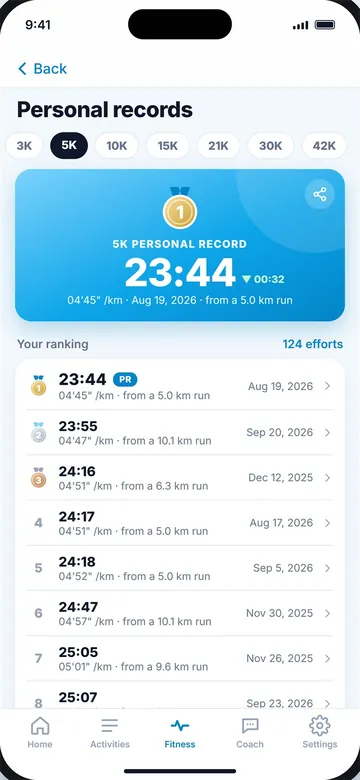
Not every run has a good photo. A clean share card with your stats and route, or a card that celebrates a new personal record, works just as well. Some apps can also share a monthly calendar or your list of recent runs. If you set a new best, see What is a PR in running?
Common mistakes
- Too many numbers in tiny text.
- White text on a bright sky that nobody can read.
- Stats over a face in a group photo.
- Sharing your exact home location on public posts.
Put your run on a photo with Windlace
- Open a run and tap share, then choose a photo from your camera roll.
- Pick a design: Classic (distance, pace and time), Splits (every kilometre), Heart (average heart rate and run type) or Effort (best km, elevation, calories and more). Designs only appear when your run has the data for them.
- Move and resize the stats to sit on a clean part of the picture, and switch between light and dark text.
- Save or share the image straight to your stories, chats or camera roll. You can also share a card instead of a photo.
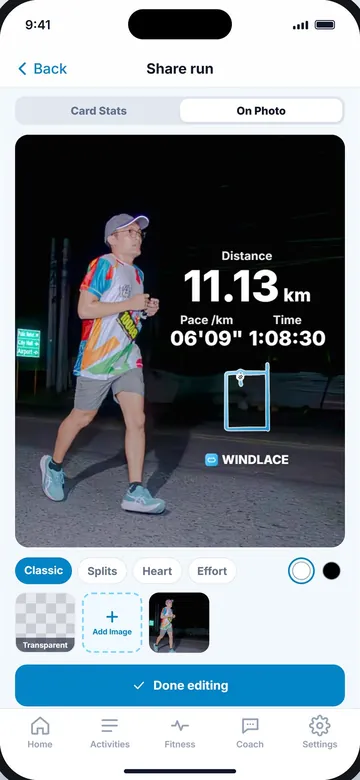
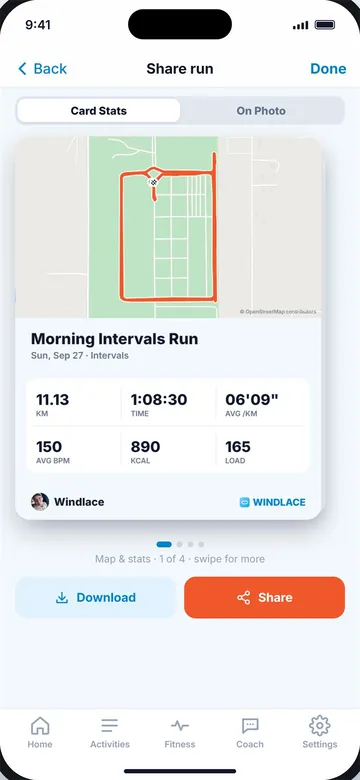
Stats on your photo (left) and a share card (right).
Key takeaways
- A photo share tool puts your run's stats over a picture from your camera roll.
- Show three clear numbers for most runs; splits suit well-paced races.
- Good light and empty space (sky, road) make stats easy to read.
- Use light text on dark areas and dark text on bright areas.
- Be careful sharing route maps that start or end at home.
Frequently asked questions
How do I put my running stats on a photo?
Use a running app with a photo share tool: pick the run, choose a photo, pick a design, place it and share.
What stats should I share from a run?
Distance, pace and time for most runs; splits for a well-paced race; time for a new PR.
What size should a run photo be for Instagram?
Posts look best at 4:5 and stories at 9:16. Keep stats away from the edges.
Is it safe to share my running route?
Avoid public maps that show where you live. Stats without a map are safer.
Do I need a photo editing app?
No. A running app with a photo share tool adds the stats for you, so there is no manual editing.
Can I share a run without a photo?
Yes. A share card with your stats and route is a good option when you have no photo.

Keep reading
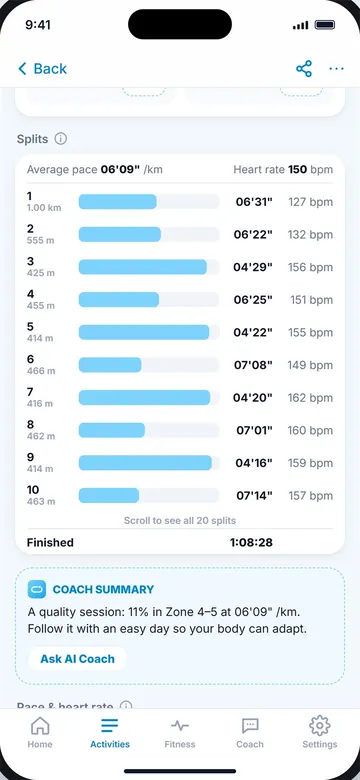 PaceWhat are splits in running, and how do you read them?What splits and laps are, the three kinds of split, and how to read your own splits to pace better.9 min read
 RacingNegative split: the smartest way to raceWhy a faster second half wins races, how to plan negative splits for 5K to marathon, and how to practise them.9 min read
 RacingWhat is a PR in running, and how do you beat it?What PR means, PR vs PB, which distances count, and simple ways to beat your personal record.9 min read