Open almost any running app or watch and you will find one number that claims to say how fit you are. It might be called running fitness, fitness level, VO2max or something else. But what goes into it, and should you trust it?
This guide explains how a running fitness score works in general, how Windlace works out its score, and what you can do to raise yours.
What a running fitness score is
A running fitness score is one number that sums up how fit you are for running right now, worked out from your own runs. Instead of looking at a dozen stats, you get one score that rises when your training works and drops when you take a break.
Different apps build it in different ways, so the numbers are not the same across apps. Broadly, there are three kinds:
The idea behind it: VDOT
Many scores are based on VDOT, a system from coach Jack Daniels. VDOT turns a race time into one fitness number that works like VO2max. A runner with a 5K of 24:08 has a VDOT of about 40; a 19:57 5K is about 50. From that one number you can predict race times and set training paces.
The beauty of VDOT is that it does not care which distance you ran. A fast 10K and a fast 5K both point to the same fitness level, so the score works for any runner.
How Windlace works out your score
Windlace gives you a score from 0 to 100, worked out from your runs in two halves that count the same:
- Half 1, three methods averaged: your best effort of 3 km or more in the last 120 days (Daniels VDOT); how fast you run at each heart rate on every run, extended up to your max heart rate (a heart-rate fitness test); and your kilometres per week and pace over the last 8 weeks (Tanda).
- Half 2, your fastest stretches: the fastest 3, 5, 10 and 20 minutes found anywhere inside your runs in the last 120 days. Together they give the pace you could hold for about an hour (critical speed).
- One fitness level: the two halves make one fitness level (VDOT), shown on a 0 to 100 scale.
You do not need to have raced or run any particular distance: it uses whatever you have run. Your VO2max, threshold pace and race predictions all come from the same fitness level, so they always agree with each other.
What the levels mean
| Score | Level | What it usually means |
|---|---|---|
| Up to 50 | Beginner | New to running, or coming back after a break. |
| 50 to 75 | Intermediate | Runs regularly and is getting faster. |
| 75 to 90 | Advanced | Trains with structure; strong local race times. |
| 90 to 100 | Elite | Among the fastest runners at their age. |
The levels get closer together near the top because each step up takes a smaller gain than the last. Going from 40 to 50 is quicker than going from 85 to 95.
Your four kinds of running
Below the main score, Windlace shows a bar for each kind of running, also from 0 to 100:
| Bar | What it covers |
|---|---|
| Endurance | Easy, long running. Builds your base. |
| Threshold | Hard but steady, about your 10K to half marathon race effort. |
| Speed | Fast repeats, about your 3K to 5K race effort. |
| Sprint | Very short, all-out efforts. |
A bar above your main score is a strength. A bar below it is something to work on. A kind of running you have not done yet simply shows your main score.
Why your score goes up and down
- A new best effort raises it. A fast race, a strong tempo or a quick stretch inside a long run all count.
- Old efforts drop out. Only the last 120 days count, so a great race from five months ago stops helping.
- Less training lowers it. Fewer kilometres over 8 weeks pulls the training part down.
- Heart rate changes it. Running the same pace at a lower heart rate raises it; hot, tired days can lower it a little.
In Windlace, ▲ means your score went up since before your latest run and ▼ means it went down.
How to raise your running fitness score
Why your score differs between apps
If your watch and your app show different numbers, nothing is broken. Each one uses its own method, its own time window and its own scale. Pick one and follow its trend over weeks. Comparing a score from one app with a score from another is like comparing kilometres with miles.
How to track your running fitness in Windlace
- Add your runs. Record with your phone's GPS, link your COROS watch once, or upload .fit, .tcx or .gpx files.
- Open the Fitness tab. See your score, your level and the four bars for Endurance, Threshold, Speed and Sprint.
- Watch the arrows. ▲ or ▼ shows how your latest run moved your score and your pace zones.
- See it on your profile. Your fitness sits next to your personal bests and weekly mileage, and you can compare it with other runners.
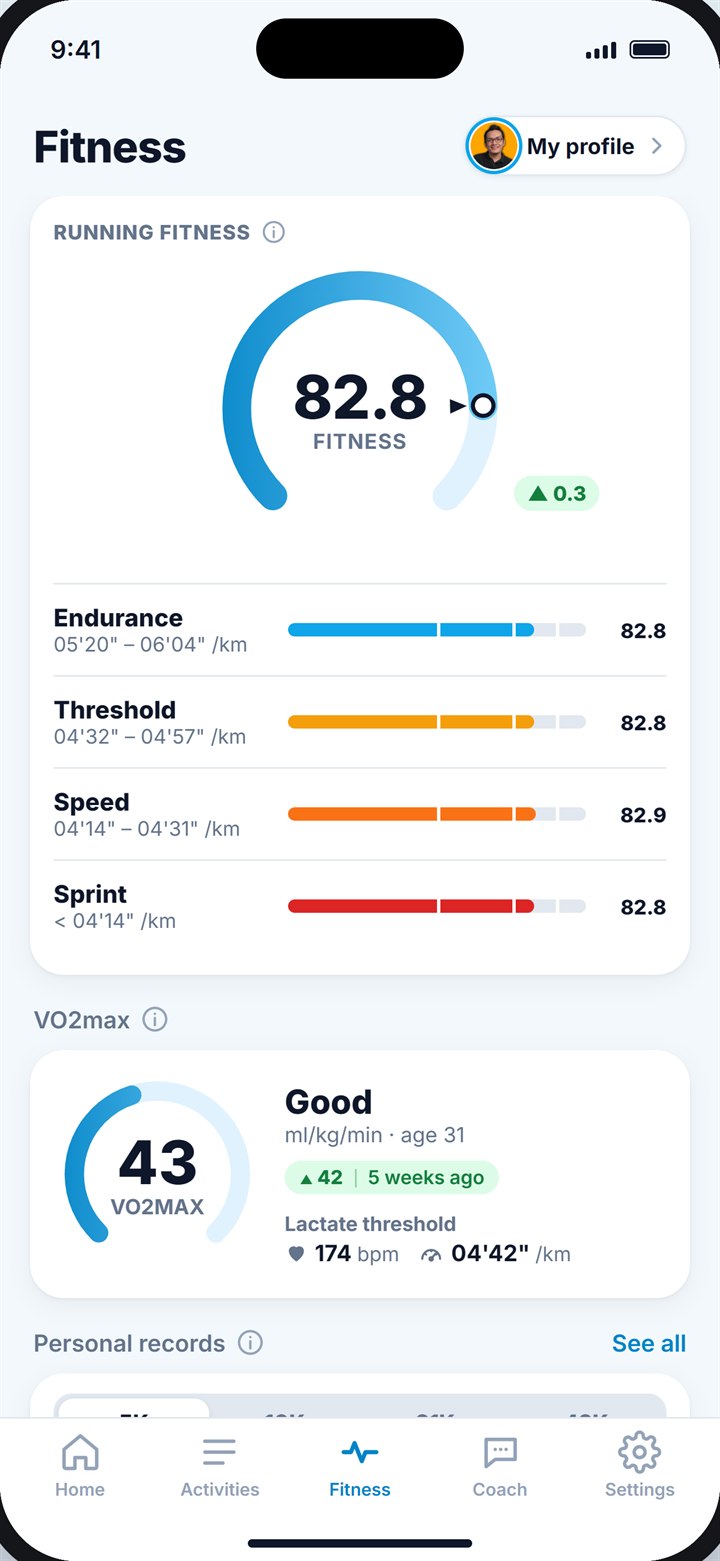
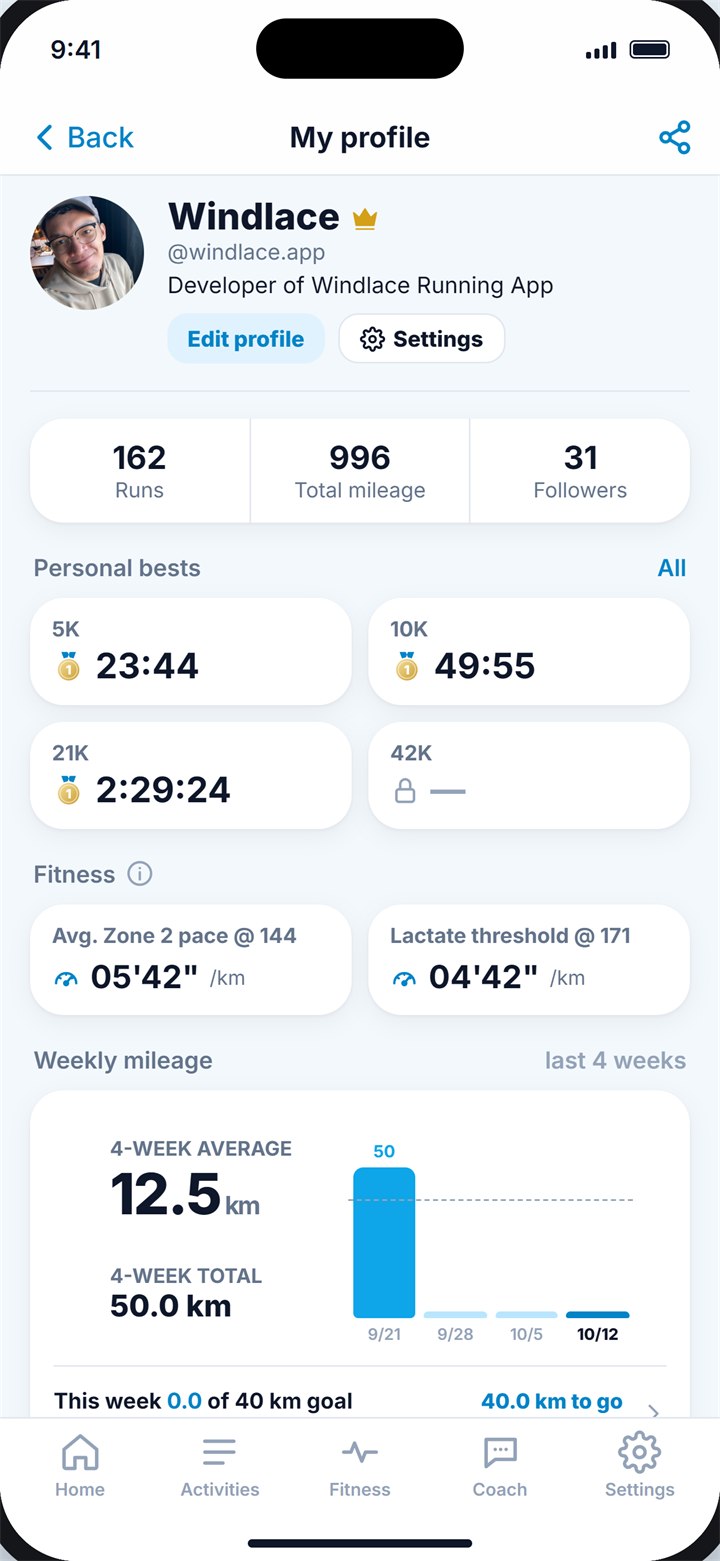
Your score on the Fitness tab (left) and on your profile (right).
Key takeaways
- A running fitness score is one number for how fit you are for running right now.
- Many scores are based on VDOT, which turns any race-like effort into one fitness level.
- Windlace mixes your best efforts, heart rate, training and fastest stretches into a 0 to 100 score.
- Levels: Beginner up to 50, Intermediate 50 to 75, Advanced 75 to 90, Elite 90 to 100.
- Raise it with more easy running, one threshold session a week and some speed work.
Frequently asked questions
What is a good running fitness score?
In Windlace, 50 to 75 is Intermediate and 75 to 90 is Advanced. The best score to compare with is your own from a few months ago.
Why did my running fitness score drop?
Usually because an old best effort dropped out of the last 120 days, you trained less over the last 8 weeks, or recent runs were hot or tiring. One good effort or a few steady weeks bring it back.
Do I need to race to get a score?
No. Windlace uses whatever you run, including fast stretches inside normal runs. A race or time trial just gives it a fresh, strong effort.
Why is my score different on my watch?
Every app uses its own method and scale. Follow one app's trend rather than comparing numbers between apps.
Can I get a score without a heart-rate monitor?
Yes. Your best efforts, fastest stretches and weekly training still count. Heart rate adds one more method, which makes the score steadier.
Keep reading
FitnessWhat is VO2max, and how do you track it?The complete runner's guide: what the number means, what a good VO2max is for your age, how to test it, and the workouts that raise it.12 min read
PaceWhat is threshold pace, and how do you find yours?The pace you can hold for about an hour: where it sits next to your race paces, four ways to find it, and how to train with it.10 min read
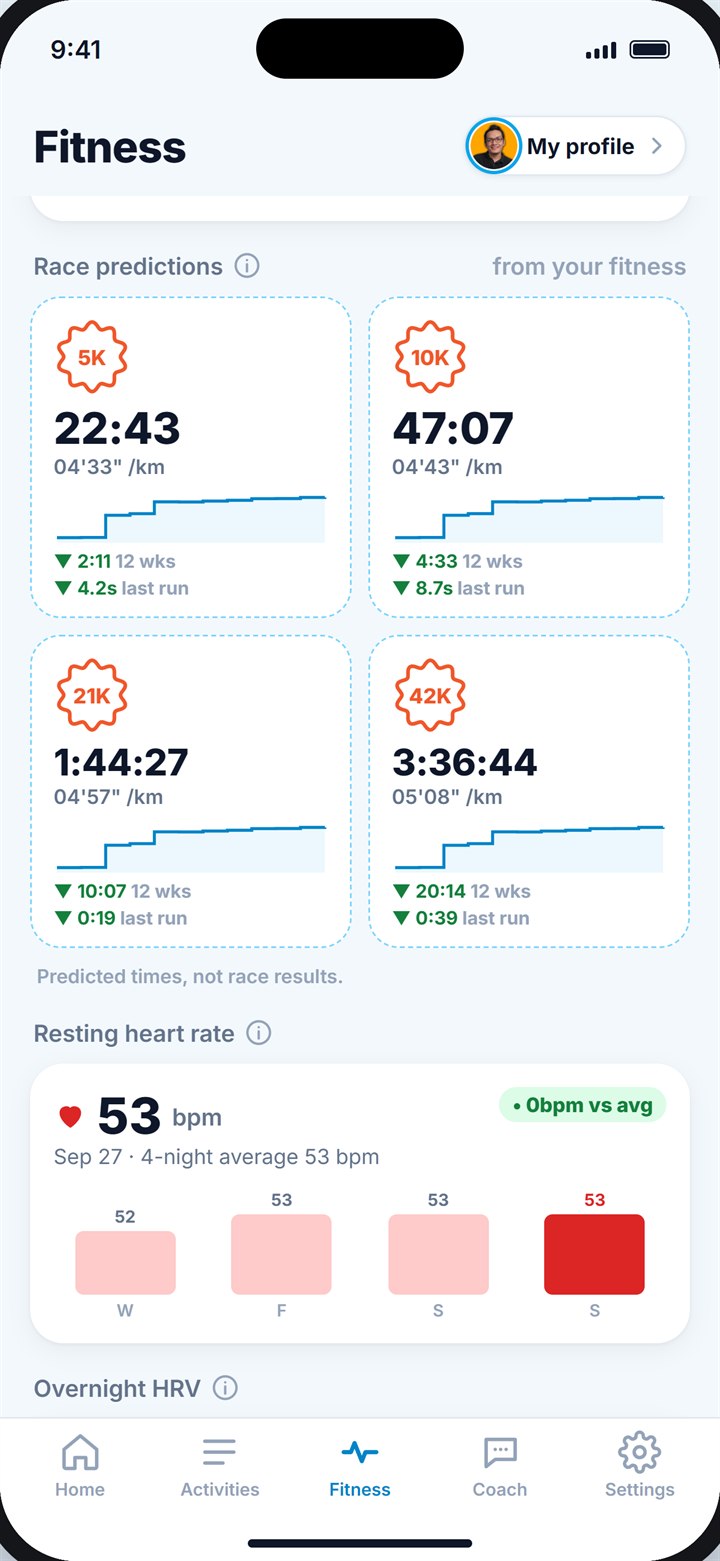 RacingHow accurate are race time predictions?How predictors work, why the marathon number is often too fast, and how to turn a prediction into a smart race plan.9 min read