Strava is where many runners keep their training log, and often their social life too. But the runs themselves came from your watch or phone, and you can take them with you. Strava offers two ways: export one activity at a time, or download your entire account archive.
The short answer
To export one run, open it on strava.com in a web browser, click the three-dot (···) menu and choose "Export Original" (the file you uploaded, often FIT) or "Export GPX". To export everything, go to Settings → My Account → "Download or Delete Your Account" and request your archive; Strava emails a link to a .zip file.
How to export one activity, step by step
- Open strava.com in a browser and sign in.
- Open the activity you want to export.
- Click the ··· (more) button on the left side of the activity page.
- Choose "Export Original" to get the file exactly as it was uploaded, or "Export GPX" for a GPX version.
- Save the file and import it into your other app.
You can only export your own activities. "Export Original" is the better choice when available, because it keeps heart rate, cadence and laps. Read FIT vs GPX vs TCX for the difference.
How to download your full Strava archive
- On strava.com, open Settings, then My Account.
- Under "Download or Delete Your Account", click Get Started.
- Choose "Request your archive" (do not choose delete!).
- Wait for the email with a download link; it can take a few hours.
- Download the .zip before the link expires.
What is inside the Strava archive?
| Item | What it holds |
|---|---|
| activities folder | Your activity files: .fit, .gpx or .tcx, many compressed as .gz |
| activities.csv | A list of every activity with date, type, distance and the file name |
| media folder | Photos you added to activities |
| Other .csv files | Profile, gear, routes, segments, comments and more |
Many activity files in the archive end in .fit.gz or .gpx.gz. The .gz means the file is compressed. Most computers can unpack them with a double-click or a free tool such as 7-Zip, and you can unpack many at once. After unpacking, you have normal .fit, .gpx or .tcx files.
Importing into another app, step by step
- Unzip the archive and open the activities folder.
- Unpack any .gz files so they become .fit, .gpx or .tcx.
- Use activities.csv to find runs by date or type if you only want some.
- Import the files into your new app; many apps accept lots of files at once.
Why some runs lose heart rate or laps
If a run was recorded in the Strava phone app, or you export with "Export GPX", the file may not include laps, and some details can be missing. Runs uploaded from a watch usually keep everything in "Export Original". When moving your history, prefer original files where you can.
Using activities.csv to find your runs
The activities.csv file opens in any spreadsheet app. Each row is one activity, with its date, name, type (Run, Ride, Walk and so on), distance, time and the file name inside the activities folder. Filter the type column to "Run" to see only runs, then use the file names to pick the right files. This is handy if you only want to move one year, or your races.
Your Strava account after exporting
Requesting an archive does not change your Strava account. Your activities, followers and kudos stay where they are. You can keep using Strava and another app side by side. Only the separate "Delete account" option removes your data, so read the buttons carefully on that page.
A note on privacy
Your archive includes routes, which can show where you live and run. Store the .zip somewhere safe, and only import it into apps you trust. If you share route files with others, consider trimming the start and end near your home.
Reasons to export your Strava data
Troubleshooting
- No Export option? You may be on someone else's activity, or in the phone app.
- Import says "not a run file"? You may have picked a .gz or .csv file. Unpack .gz files first.
- Rides showing up? Running apps usually skip non-run activities on import.
- Runs appear twice? If your watch also syncs elsewhere, a good app skips runs it already has.
Using a Garmin watch?
If your runs come from a Garmin, exporting straight from Garmin Connect gives you the original watch files. See How to export activities from Garmin Connect.
Import your Strava runs into Windlace
- Tap Add activity and choose Strava to see these steps in the app.
- Pick your exported files: .fit, .gpx or .tcx, many at once. For the full archive, unpack the .gz files first.
- Runs you already have are skipped, and rides or other workouts are left out.
- See your history in a new light: records with medals, race predictions, zones, training load and your fitness score.
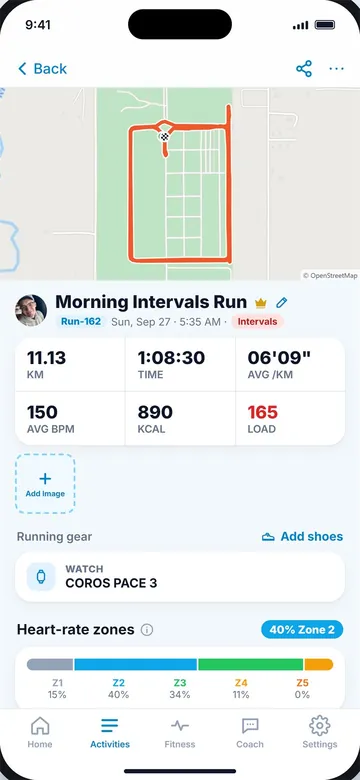
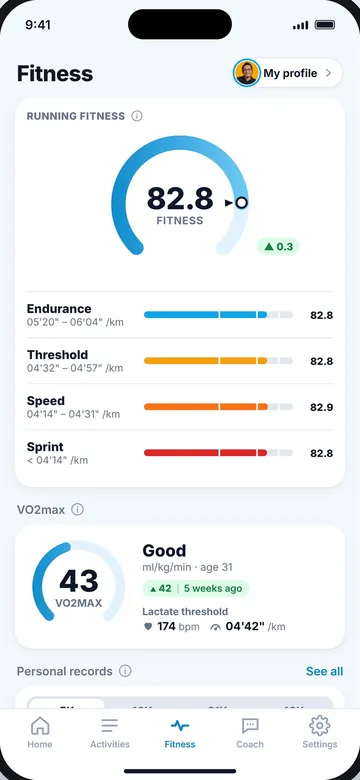
An imported run (left) and your fitness (right).
Key takeaways
- Export one run on strava.com: ··· menu → Export Original or Export GPX.
- Get everything from Settings → My Account → Download or Delete Your Account → Request your archive.
- The Strava phone app cannot export; use a browser.
- Many files in the archive are compressed .gz files; unpack them before importing.
- Export Original keeps more data than GPX.
Frequently asked questions
How do I export a run from Strava?
Open it on strava.com, click the ··· menu and choose Export Original or Export GPX.
Can I export from the Strava app?
No. The phone app cannot export activity files. Use strava.com in a browser.
How do I download all my Strava activities?
Go to Settings → My Account → Download or Delete Your Account and request your archive.
What is a .fit.gz file?
A compressed FIT file. Unpack it with your computer or a free tool to get the .fit file.
Does Strava GPX export include heart rate?
Often, through extensions, but laps and some details may be missing. Export Original keeps more.

Keep reading
DataFIT vs GPX vs TCX: running file formats explainedWhat FIT, GPX and TCX files store, which keeps heart rate, cadence and laps, and which to choose when exporting.8 min read
DataHow to export activities from Garmin ConnectExport one Garmin run as a FIT file, or your full history with Garmin's data export, and import it elsewhere.8 min read
DataRunning app vs running watch: which do you need?How phone apps and GPS watches compare on GPS, heart rate, battery, cost and comfort, and how to use both.8 min read